Download a gaming VPN for PC, mobile device, or laptop.
Subscribe for low-ping gaming with a VPN.
Set up a router-VPN for Xbox, PS4, or other gaming consoles.
What challenges does a gaming VPN solve?
How to protect your account and data
With WhoVPN, your data and identity are secure. Play without worrying about third parties tracking your IP or location. Connect to your usual game server, even while traveling.
How to lower ping
Attain a low ping effortlessly by selecting the nearest server in the global WhoVPN network. Say goodbye to gaming delays caused by high ping.
How to play with high speed
Selective throttling won't impact your game with a VPN — it helps keep your speed stable, no matter the load on the game server.
How to protect against DDoS attacks
Protect your gaming account from cyberattacks with the best gaming VPN. Play securely, even in public WiFi.
Play the most popular games with a VPN
Install a no-lag VPN for Steam and your favorite games. Play Brawl Stars and Minecraft through a VPN with players from around the world. Get access to the latest game versions. A low-latency VPN for PUBG will give you a unique gaming experience. Enjoy modern games like Diablo, Galaxy Online, Lineage 2: Essence, Lost Ark, and more with WhoVPN.
A convenient and simple VPN application for all your devices
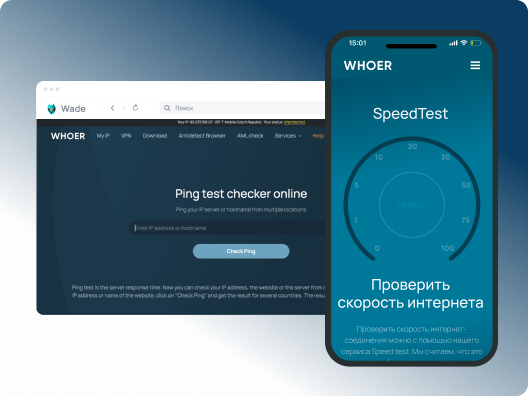
A high ping indicates that the information packets sent from your device to the game server are taking too long. A large ping can lead to significant delays between your actions and in-game responses. This is why online gamers are primarily focused on reducing ping. If you're unsatisfied with ping in your game, one solution is to connect to a VPN server in a country close to your game server to minimize ping.
How to choose the best VPN for gaming
Specifically tailored for your device
WhoVPN provides dedicated apps for various gaming devices. Moreover, you can install the VPN on your router to cover all your devices, including gaming consoles.
Servers worldwide
Choose a server from your desired country within WhoVPN’s vast network to get the lowest ping possible.
Secure connection
WhoVPN employs cutting-edge encryption protocols to ensure the secure protection of your gaming account, safeguarding it against third-party access.
High-speed connectivity
With WhoVPN, you won’t experience slow speeds or bandwidth throttling. Try the unlimited gaming VPN today!
With WhoVPN, your gaming console is fully protected. Simply install WhoVPN on your router to secure all devices in your network. Enjoy gaming on your console with low ping and no speed restrictions!